Remove Silence & Dead Air from Videos, On Your Mac
Turn hours of silence into minutes of editing. Your footage. Your Mac. Your rules.
Cut Video Gaps is a desktop app for Mac that automatically finds and cuts pauses and dead air from video on-device. Choose between Fast Cut (dB-threshold FFmpeg mode) or AI Auto Cut (local Whisper speech recognition), then export to Final Cut Pro, Premiere Pro or After Effects, or save a trimmed video or clean audio file.
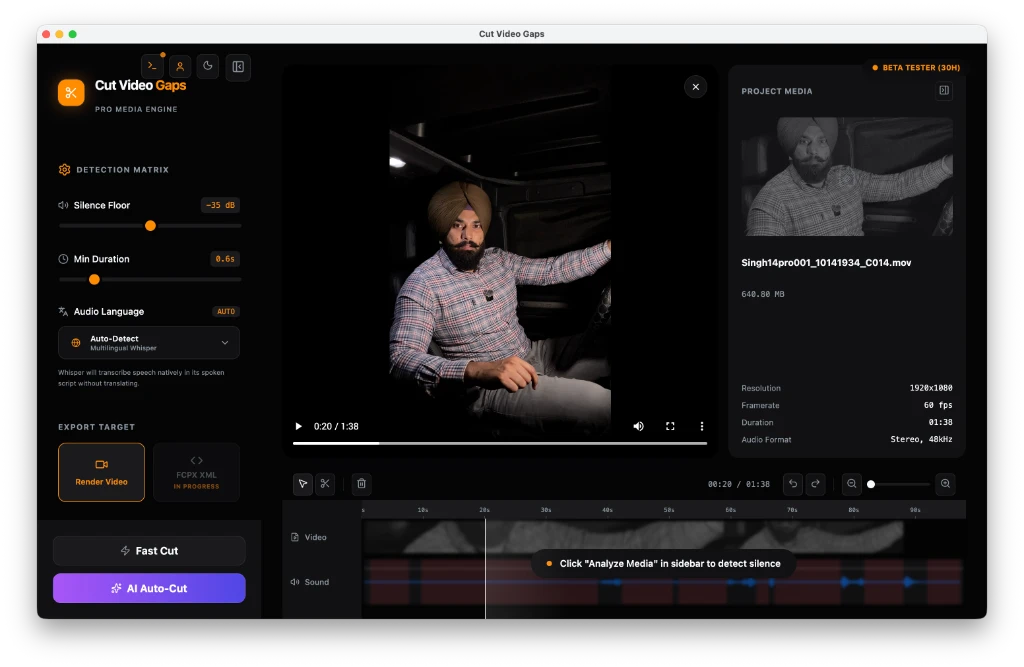
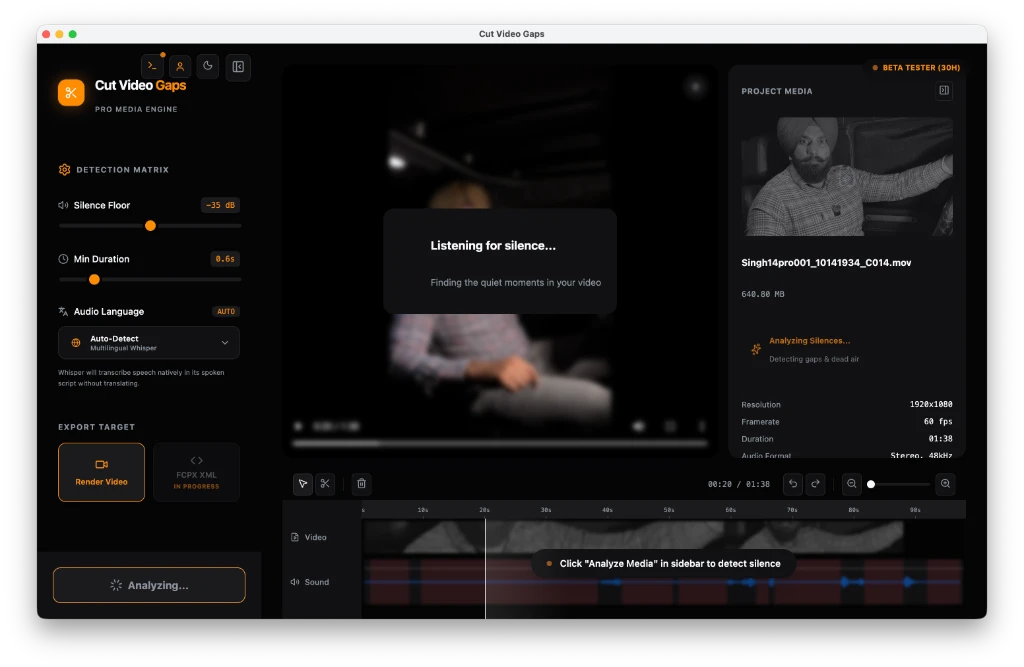
See Cut Video Gaps in under 3 minutes
From download and sign-in to Fast Cut vs AI Cut and exporting to MP4 or Final Cut Pro, everything running on your Mac. Prefer to read? Follow the step-by-step guide.
From Raw Footage to a Tighter Cut
Cut Video Gaps eliminates tedious rough-cut editing on your Mac. Drag in raw recordings, choose your cutting engine, review the detected gaps on an interactive waveform, and export your timeline in seconds.
Drag & Drop Raw Footage
Open Cut Video Gaps and drop your raw camera takes or audio tracks directly into the window. Because everything runs on your Mac, there are zero cloud upload queues, zero compression artifacts, and zero wait times.
- Supports MP4, MOV, and MKV video footage
- Fast local audio extraction for silence detection
- Reads 1080p and 4K media straight from your internal or external SSD
Choose Engine & Review Gaps
Select between two intelligent silence cutting modes tailored to your recording style:
Instant decibel threshold gating (-20 dB to -50 dB). Best for clean studio voiceovers with minimal noise.
Transcribes audio locally with Whisper speech recognition. Recognizes natural spoken pauses in English, Punjabi, and Hindi.
Export to Your NLE or a Video File
Export clean, cut footage directly into your timeline without losing control over individual edit points:
Generates a .fcpxml sequence (FCPXML 1.10, Final Cut Pro 10.6+) in under 1 second, or a Premiere Pro XML project or After Effects .jsx script. All point at your original media: no re-encode, frame-accurate, source timecode kept.
A trimmed copy via local FFmpeg that keeps the original container where possible (MP4, MOV, M4V, MKV); audio-only files export as clean audio. Ready to share directly to YouTube, Loom, or Slack.
Transcribed Speech, Not Just a Volume Gate
Basic audio threshold filters fail on real videos: they clip the start of quiet words, chop off trailing consonants, and mistake background room noise or air conditioning for active speech.
Cut Video Gaps uses local speech recognition (Whisper) running through a bundled local Python runtime on your Mac. It transcribes the spoken audio to locate exactly where human speech starts and stops. Pauses and dead air are identified from transcribed words, then passed to local FFmpeg with customizable padding, and word-level protection means a silence cut never clips a spoken word.
Because it knows the words, it also catches bad takes. When you restart a sentence (“you'll also be, you'll also be…”), the clear restarts are cut and your last good take is kept; uncertain ones show up as suggestions you click to cut. Repeated words, stutters and filler words are cut too, and stray words before the real start or after the end are suggested. Bad-take detection works in Punjabi, Hindi and Urdu as well, and the app warns you with a one-click re-run if the selected language doesn't match the speech.
Volume Gate vs Speech-Aware Detection
Detection BenchmarkRelies on an arbitrary dB cutoff. Whispers get cut out; coughs and AC hum are falsely marked as speech.
Transcribes spoken sentences on your Mac. Accurately flags authentic dead air between phrases with millisecond precision and safety padding.
Multilingual Speech Recognition Built In
Cut Video Gaps is a multilingual desktop app. Choose between Fast Cut (a fast dB-threshold FFmpeg mode) or AI Auto Cut (multilingual Whisper speech recognition). Tested and verified for English as the primary option, alongside confirmed support for Punjabi and Hindi.
Primary tested language. Whisper speech-aware detection recognizes conversational cadence and sentence structures across global accents.
Tested on natural regional dialogue, vlogs, and storytelling with exact phrase boundaries.
Accurately separates conversational pauses and hesitation from Hindi sentences without clipping.
More regional and international languages are currently undergoing testing.
Turn Hours of Tedious Blade Cuts into One Click
Manual pause removal forces editors to listen through every second, blade twice per pause, and ripple-delete dead air. See the math of manual slicing vs. 1-click on-device automation.
Repeated Blade Cuts & Ripple Deletions
Listening through footage, scrubbing to find breath gaps, pressing ⌘B twice to slice both boundaries of every pause, then pressing ⇧⌫ to ripple-delete the dead air.
Automated Silence Removal
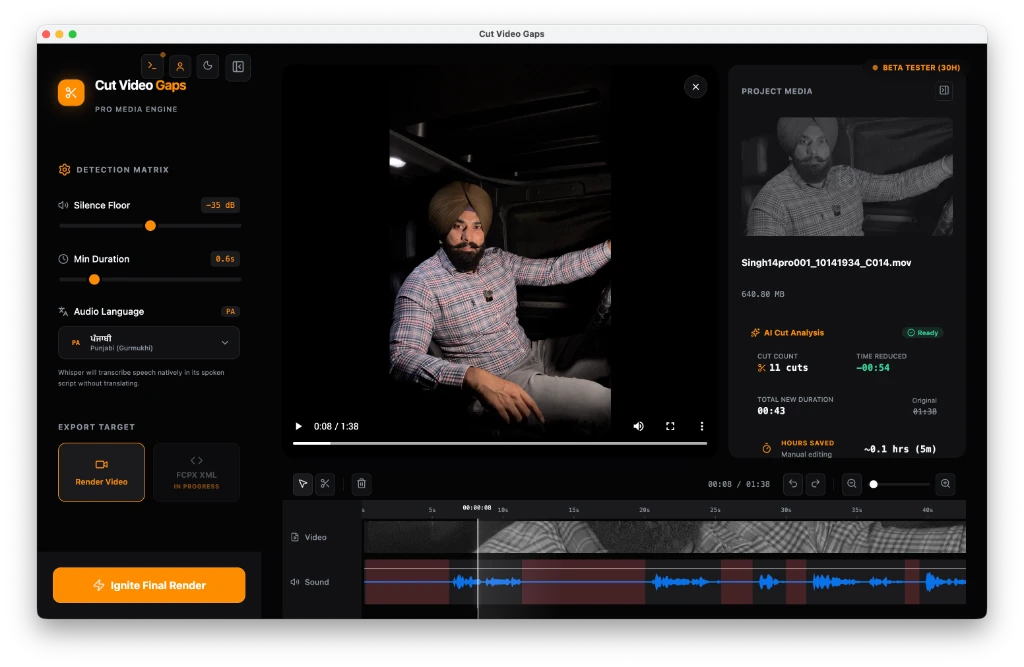
Drop your raw footage in. Cut Video Gaps analyzes speech and silence locally on your Mac using Fast Cut (dB threshold) or AI Auto Cut (local Whisper). All 11 dead air gaps are marked and ready for review.
Ready to Cut Video Gaps on Your Mac?
Download the free macOS public beta. Process your takes locally with zero cloud uploads or per-minute fees.
Fits Directly into Your Existing Editing Suite
Whether you want a non-destructive timeline in Final Cut Pro or Premiere Pro, an After Effects composition, or a ready-to-share trimmed video or clean audio file, Cut Video Gaps exports your clean cut quickly.
Export FCPXML 1.10 for Final Cut Pro 10.6+, a Premiere Pro XML project (File › Import), or an After Effects .jsx script that builds a composition (File › Scripts › Run Script File). All three point at your original media: pauses are removed with no re-encode, frame-accurate, keeping source timecode, color space and audio tracks.
- Non-destructive: adjust cuts and roll edits in FCP
- No re-encode, no quality loss: references original media
- Instant export: lightweight XML file
- Frame-accurate, keeps source timecode
Need a tight rough cut immediately? Save a trimmed copy via local FFmpeg that keeps the original container where possible (MP4, MOV, M4V or MKV; formats such as WebM export as MP4). Audio-only files export as clean audio. Import the result into any editor, or upload directly to YouTube, Loom, Slack, or Google Drive for immediate team review.
- Keeps MP4, MOV, M4V or MKV; WebM and others export as MP4
- Rendered locally on your Mac via FFmpeg
- Audio-only files (WAV, MP3, M4A, AAC, FLAC, AIFF) export as clean audio
Why Run Silence Removal Locally on Your Mac?
Cloud video editors introduce upload delays, subscription meters, and privacy risks. A desktop app for Mac solves all three.
100% On-Device Privacy
Your video and audio never leave your Mac. Heavy video processing runs on your Mac using on-device Whisper and FFmpeg. A small account and quota check runs online.
Zero Per-Minute Or Token Fees
Cloud silence removers bill you per minute uploaded or charge recurring AI token credits. Cut Video Gaps runs on your Mac with zero cloud fees, no API keys, and no token meters.
No Video Uploads Required
Heavy video processing runs on your Mac using on-device Whisper and FFmpeg. There are no video uploads, no third-party cloud queues, and no AI tokens or credit meters. A small account and quota check runs online.
Optimized for Mac Hardware
Leverages your Mac's local hardware capabilities. Processes MP4, MOV, and MKV video files smoothly without cloud transcoding queues or browser memory crashes.
Try It Free. Upgrade When You're Ready.
The public beta gives you 15 free hours/month. No credit card required.
Free Beta
Perfect for getting started

- All core features
- 100% local processing
- No cloud uploads
- No AI tokens needed
- Earn bonus hours: feedback and friend invites
For serious creators
- Extended monthly hours
- Priority processing
- Advanced features
- Future updates
For studios & teams
- Team licenses
- Centralized management
- Priority support
- Future updates
Got Questions?
Clear answers about local silence removal, editor exports, and privacy.
How do I remove silence in Final Cut Pro?
Import your footage into Cut Video Gaps on your Mac. The app uses local Whisper speech recognition to transcribe speech and locate silence and dead air gaps. Once you review and adjust the cuts, click Export and select Final Cut Pro XML. Open Final Cut Pro, choose File > Import > XML, and select the exported file. Your sequence opens immediately with all pauses cut out as separate editable clips on the timeline.
Does processing require cloud servers?
All audio transcription, waveform analysis, and video cutting occur locally on your Mac using on-device Whisper and FFmpeg. There are no video uploads, no cloud rendering queues, and no AI tokens or credit meters. A small account and quota check runs online, so an active internet connection is needed to verify your account and beta quota.
Does it work with Hindi and Punjabi?
Yes. The on-device Whisper model automatically detects the spoken language. English, Punjabi, and Hindi have been confirmed and tested by the creator as working examples, handling natural pauses and conversational speech smoothly.
Does it upload my videos?
No. Cut Video Gaps never uploads your video or audio files. All processing runs on your Mac using on-device Whisper and FFmpeg. Your video and audio never leave your Mac. A small account and quota check runs online.
Is it really free?
Yes. During our public beta, Cut Video Gaps provides 15 hours of export quota per month completely free. Pro and Team plans with higher quotas will be introduced in the future.
Is there a Windows or Intel Mac version?
Cut Video Gaps is currently available as a free public beta for macOS (Apple Silicon). A Windows desktop version is in development and Intel Mac support is planned, with an open waitlist for both. You can join our waitlist to get early beta access as soon as new builds drop.
Can I edit cuts manually?
Yes. Cut Video Gaps gives you a visual timeline similar to Final Cut Pro. You can review every detected silence gap, resize cut boundaries, adjust padding duration, or delete any cut before exporting.
Which formats are supported?
Cut Video Gaps supports all standard video and audio containers including MP4, MOV, MKV, as well as common audio files. You can export a trimmed video file (keeping MP4, MOV, M4V or MKV where possible), clean audio for audio-only files, Final Cut Pro XML (FCPXML 1.10), a Premiere Pro XML project, or an After Effects script. The three editor exports point at your original media with no re-encode.
Less Silence. More Story.
Download the free beta and start cutting the dead air — today.
01:38