The Final Cut Pro Silence Removal Dilemma
Apple's Final Cut Pro is celebrated for its magnetic timeline, blistering Apple Silicon playback performance, and professional color grading tools. However, when it comes to the raw assembly phase of video editing—specifically trimming out pauses, breaths, retakes, and awkward dead air—Final Cut Pro offers no automated solution.
Traditionally, an editor working on a 30-minute interview or solo commentary must manually scrub through the entire clip with the Blade tool (Command + B), make two razor cuts on either side of the silence, delete the empty space, and ripple-close the gap. Unscripted speech can easily run to 100 or more gaps in that half hour, and at around 30 seconds per manual cut the process takes close to an hour.
While some third-party cloud web apps claim to solve this, they require uploading massive multi-gigabyte camera files to remote servers, charging steep per-minute fees or AI tokens (see our offline Descript alternative). Cut Video Gaps provides a fast, on-device alternative built specifically as a desktop app for Mac.
Step-by-Step Tutorial: Removing Silence with FCPX XML
Download and Open Cut Video Gaps on Your Mac
First, grab the latest public beta build from our Download page. Drag the app into your Applications folder and launch it. Because Cut Video Gaps bundles on-device Whisper speech recognition and FFmpeg, heavy video processing runs on your Mac with no uploads or AI token fees. A small account and quota check runs online.
Import Your Raw Video or Audio Footage
Drag and drop your raw camera file (MP4, MOV, or MKV) directly into the Cut Video Gaps window. The application automatically extracts the audio track and initiates speech pause detection or local Whisper speech recognition.
Multilingual Note: Whether you record in English, Hindi, or Punjabi, Whisper auto-detects the spoken language without manual switching. See our multilingual silence removal breakdown.
Review Detected Cuts on the Interactive Visual Timeline
Once analysis finishes, Cut Video Gaps renders a waveform timeline highlighting every detected silence gap in orange. Unlike black-box automated editors, you have full control:
- Preview any individual cut with playback controls.
- Adjust silence threshold sensitivity to preserve deliberate dramatic pauses (see which silence threshold dB to use).
- Customize padding duration to ensure word beginnings and endings breathe naturally.
- Click to restore or discard any detected cut you wish to keep in your final assembly.
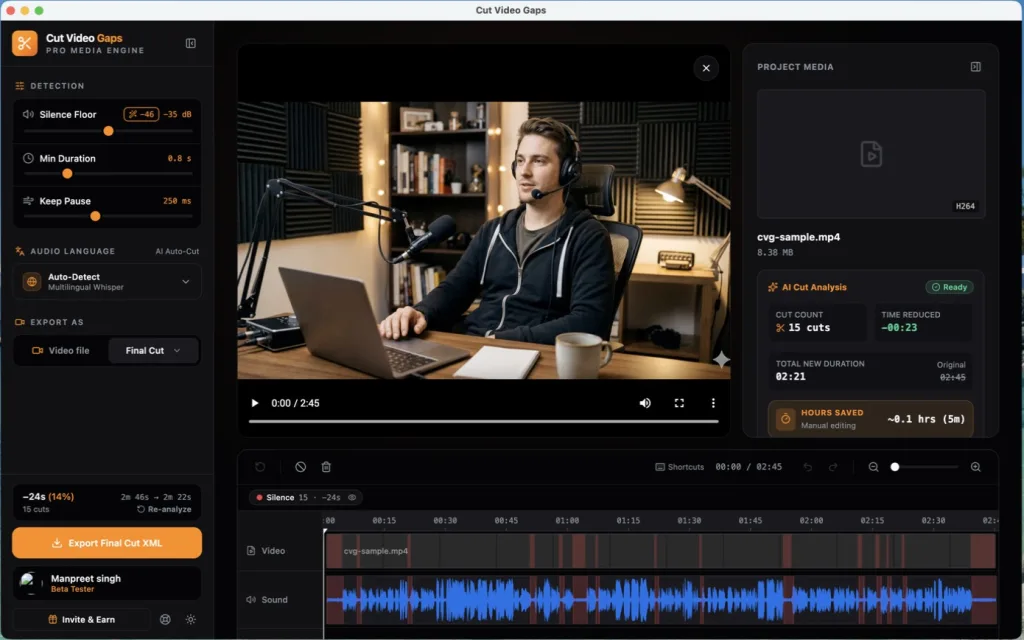
Export as Final Cut Pro XML
In the sidebar under Export As, choose Final Cut Pro, then click Export Final Cut XML. Cut Video Gaps writes an .fcpxml file next to your original video. Because it is sequence metadata rather than a re-encoded video, the export is almost instant.
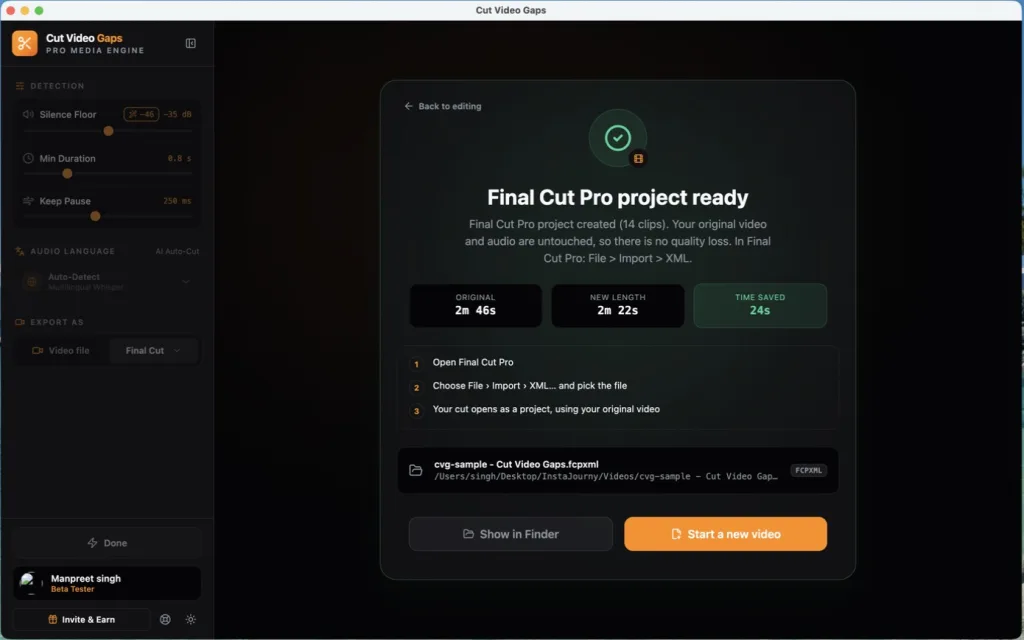
Import XML into Final Cut Pro
Open Apple Final Cut Pro on your Mac:
- Navigate to the top menu: File > Import > XML...
- Select the
.fcpxmlfile exported from Cut Video Gaps. - If Final Cut Pro asks, choose the library to import into.
A brand new Project sequence immediately appears in your Event browser. Double-click to open it: your entire timeline is populated with your original media clips, tightly trimmed with all dead air removed!
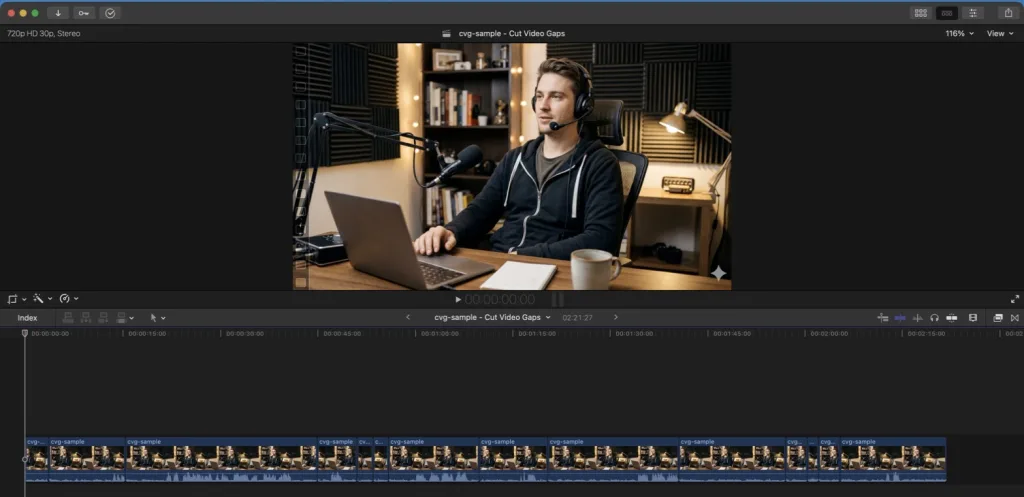
Why Non-Destructive XML is Superior to Re-rendering
Many beginners make the mistake of using silence cutters that force a re-rendered MP4 export. While Cut Video Gaps can also save trimmed video files, Premiere Pro XML projects and After Effects scripts (see our Mac video silence removal guide), using the Final Cut Pro XML workflow provides enormous advantages for professional editors:
- Original Camera Color Space: Camera color profiles remain completely untouched because the footage is never re-compressed.
- Roll & Slip Edits: Because the cuts are non-destructive, every single cut point on the timeline still possesses its underlying handle media. If you want an extra pause before a key sentence, simply drag the clip edge to lengthen it.
- Audio Tracks Intact: If you recorded multi-channel camera audio or external microphones, audio channels remain intact on your FCP timeline.