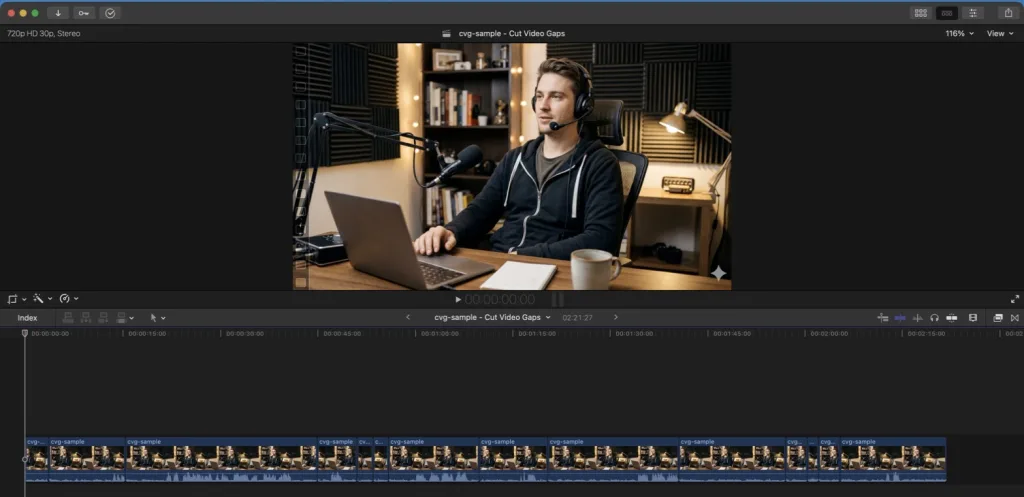
How Auto Jump Cutting Works
- Drop in your recording. MP4, MOV, MKV or an audio file. Nothing is uploaded; the file is read where it is.
- Pick a mode. Fast Cut finds pauses with a decibel threshold in seconds. AI Auto-Cut transcribes the speech with Whisper on your Mac, so cuts land between words and filler words, stutters and bad takes go too.
- Review the cuts. Every cut is marked on the timeline and labelled by type. Keep or remove any of them before you export.
- Export. Get a trimmed video, or an FCPXML, Premiere Pro XML or After Effects project that points at your original media. See Fast Cut vs AI Auto Cut for which mode to use.
Three Settings That Shape Your Jump Cuts
The defaults work for most talking-head footage. These are the sliders to reach for when the pacing feels too tight or too loose:
- Silence Floor (default −35 dB): how quiet audio must be to count as a pause. Raise it in a noisy room, lower it for soft-spoken delivery. The silence threshold guide explains how to choose.
- Min Duration (default 0.8 s): the shortest pause that gets cut. Raise it to keep natural breaths and deliberate beats.
- Keep Pause (default 250 ms): how much silence stays around each cut so words never start or end abruptly.
Desktop App vs Browser Jump Cutters
Browser tools are handy for a quick clip, but long camera files are where they struggle. Here is how the approaches differ:
| Cut Video Gaps | Browser jump cutters | |
|---|---|---|
| File size | No upload, so no upload cap | Often capped (Auto Jump Cutter lists 2 GB) |
| Video support | Video and audio files | Varies; SilentCut, for example, handles audio files only |
| How pauses are found | dB threshold or on-device Whisper speech detection | Usually a volume threshold |
| Filler words and bad takes | Cut in the same pass | Usually not |
| Editor handoff | FCPXML, Premiere Pro XML, After Effects | Usually a rendered file only |
Third-party details checked on each tool's website in October 2026.
What About Final Cut Pro's Own Jump Cut?
Final Cut Pro has a retime option called Jump Cut at Markers. It skips a fixed number of frames at each marker you add, which is useful for stylised speed effects, but it does not find the pauses for you: you still scrub the clip and place every marker by hand.
Cut Video Gaps does the finding. Export an FCPXML, import it with File › Import › XML, and the pauses are already gone. The Final Cut Pro guide walks through it step by step, and what is a jump cut covers when the style works and when it doesn't.
Frequently Asked Questions
What is an auto jump cut?
An auto jump cut is a cut made by software instead of by hand: the tool finds the pauses between your sentences, removes them, and joins the remaining takes, so the speaker appears to jump slightly at each cut.
Does Final Cut Pro make automatic jump cuts?
Not from silence. Final Cut Pro's Jump Cut at Markers retime option skips a fixed number of frames at markers you place yourself. Cut Video Gaps finds the pauses for you and sends Final Cut Pro an FCPXML timeline with the gaps already removed.
Is there a file size limit?
No upload means no upload limit. Cut Video Gaps reads the file in place on your Mac, so long recordings are fine. Browser-based jump cutters have to upload or load the whole file first.
How much does it cost?
Cut Video Gaps is currently a free public beta with 15 free hours/month. It needs an Apple Silicon Mac running macOS 13 or later.